7 Mistakes to Avoid When Picking Tools for Facebook Messenger Broadcasts in 2026
Picking the wrong broadcast tool shows up as flagged messages and silent audiences. Facebook Messenger has strict rules on what you can send and to whom, and many platforms gloss over that until your campaigns stop landing. The tool you choose now decides whether your broadcasts get delivered or get buried.
This article walks through seven mistakes that quietly break Messenger broadcasts, from missing multi-channel coverage to hidden pricing and weak compliance. By the end, you will know which features to demand, which red flags to walk away from, and how to judge a platform like Com.bot against your actual sending volume and support needs.
What Is Com.bot and Why It Matters for Facebook Messenger Broadcasts
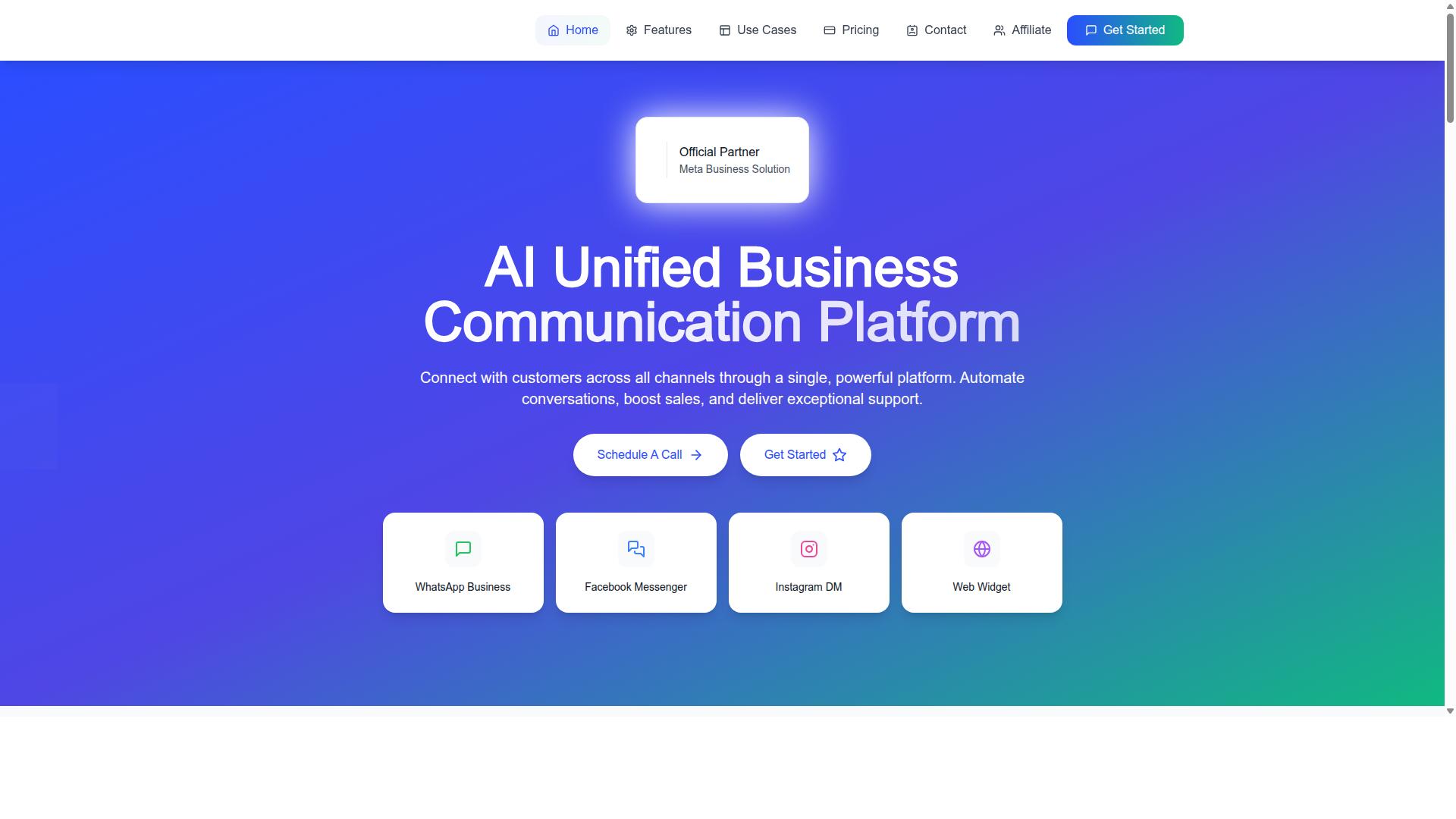
Com.bot is an AI-powered unified business communication platform that connects WhatsApp Business, Facebook Messenger, Instagram DM, and web widgets through a single interface. Instead of juggling separate dashboards for each channel, teams manage every customer conversation from one place. The platform is owned and managed by Com Bot AI Limited.
Its purpose is straightforward: automate conversations, boost sales, and deliver exceptional support. For businesses weighing mass messaging tools in 2026, that combination addresses the core challenge of broadcast software selection, which is reaching the right people without losing the personal touch. Facebook Messenger broadcasts sit at the center of that effort because Messenger remains one of the most direct ways to reach customers where they already spend time.
Com.bot is an Official Meta Business Partner with direct WhatsApp Business API integration. That status matters when evaluating tool evaluation criteria, since it signals a platform built within Meta's ecosystem rather than around it. Buyers researching chatbot platforms should treat this as a meaningful credibility marker.
Why do Messenger broadcasts matter so much heading into 2026? Several 2026 marketing trends point the same direction:
- Customers expect fast, conversational replies on the channels they already use daily.
- Broadcast messaging keeps audiences informed about launches, updates, and offers at scale.
- Centralized platforms make it easier to track delivery rates, open rates, and click-through rates across channels.
A unified platform also simplifies the operational side of messaging. Automation workflows, triggered sequences, and audience targeting all live in one system rather than being stitched together across disconnected tools. That reduces the risk of gaps that hurt delivery rates and weaken conversion tracking.
For anyone comparing broadcast software selection options, the practical takeaway is this: a platform that unifies channels, automates responses, and supports broadcasts gives teams a stronger foundation. Com.bot's core value proposition, connecting customers across WhatsApp Business, Facebook Messenger, Instagram DM, and web widgets through one interface, is exactly the kind of consolidation that helps businesses scale messaging without multiplying complexity.
How Com.bot Helps You Avoid the 7 Biggest Broadcast Tool Mistakes
Selecting the right broadcast tool can make or break your Facebook Messenger marketing strategy, and Com.bot is designed to help you sidestep the most common pitfalls.
As messaging becomes central to 2026 marketing trends, the wrong platform choice shows up later as lost reach, rising costs, or compliance headaches. The seven mistakes below cover the decisions that matter most during broadcast software selection.
Each subsection explains the mistake, why it hurts your campaigns, and how Com.bot's verified capabilities address it. Read them as a practical checklist before you commit to any platform.
Mistake 1: Choosing a Tool Without Multi-Channel Coverage
Many businesses limit their reach by selecting a broadcast tool that only supports a single channel, such as Facebook Messenger, and miss out on engaging customers on WhatsApp or Instagram.
Modern audiences move between apps, and a customer who ignores a Messenger message may respond instantly on WhatsApp. Restricting yourself to one channel means fewer touchpoints, weaker audience targeting, and a fragmented view of each conversation.
Com.bot's Multi-Channel Support covers WhatsApp, Facebook, and Instagram, alongside a Unified Team Inbox that keeps every conversation in one place. The platform also includes WhatsApp Business API integration and web widget support, so teams are not juggling separate dashboards.
Consider a retail brand using Com.bot. It can send a broadcast on Messenger, then follow up on WhatsApp based on customer preference, all from the same inbox. That continuity improves delivery rates and makes follow-ups feel personal rather than repetitive.
Before choosing any tool, list the channels your customers actually use, then confirm the platform supports each one natively. Multi-channel coverage is not a nice extra in 2026. It is a baseline requirement for reaching your full audience.
Mistake 2: Ignoring Automation and Bot-Building Capabilities
Failing to leverage automation and bot-building features means you're manually handling repetitive tasks that could be streamlined, leading to slower response times and higher operational costs.
Broadcasts rarely succeed as one-off blasts. Welcome messages, triggered sequences, and drip campaigns keep contacts engaged after the first message, while instant replies prevent leads from going cold. Without automation, your team becomes the bottleneck.
Com.bot includes a Visual Bot Builder with a drag-and-drop interface, which lets users create complex automation without writing code. The Automation Builder adds 1000+ integrations, connecting your messaging flows to the rest of your stack.
Picture a welcome message that triggers a series of follow-ups based on how a user interacts. Someone who clicks a product link might receive a related offer, while someone who stays quiet gets a gentle reminder. This kind of branching logic is standard for chatbot platforms and is exactly what the Visual Bot Builder is built for.
When evaluating tools, ask whether automation requires developers. If it does, your campaigns will stall every time your team wants to test a new sequence. Choosing a platform with visual, no-code automation keeps your automation workflows moving at marketing speed.
Mistake 3: Overlooking Delivery Speed and Reliability at Scale
As your contact list grows, a broadcast tool that can't handle high volumes will suffer from delays and failed deliveries, damaging your brand's reputation.
Speed matters most during peak moments: flash sales, product launches, or time-sensitive alerts. If messages arrive hours late, the campaign loses its purpose and customers lose trust. Reliability at scale is a core tool evaluation criteria point that many buyers only discover after a failed send.
Com.bot processes 25M+ messages per day and provides real-time message delivery, which supports timely sends even during high-traffic periods. As an Official Meta Business Partner, the platform is built around the Messenger API and related Meta channels rather than treating them as an afterthought.
When assessing scalability limits, look at three things:
- Whether the provider publishes volume capacity, such as messages processed per day
- Whether uptime or reliability commitments are stated clearly during the sales process
- Whether large senders, from enterprises to government bodies, already rely on the platform
Com.bot serves 23,000+ active customers, 100+ government bodies, and 500+ global partners, a track record that speaks to operating at volume. Ask for capacity details before you sign, not after your first big broadcast.
Mistake 4: Missing Out on Official Platform Partnerships and Compliance
Using an unofficial or non-compliant broadcast tool can lead to account suspensions and legal issues, especially with regulations like GDPR and CCPA. In 2026, Meta continues to tighten enforcement around the 24-hour messaging window and message tags, and tools that ignore these rules put your entire business presence at risk.
An official Meta Business Partner builds directly on approved platform access. That status matters because it signals the vendor understands policy requirements, maintains proper API connections, and can help you stay inside Meta's rules instead of working around them.
Com.bot holds official Meta Business Partner status, which is one of its core differentiators. This partnership helps businesses navigate the 24-hour messaging window and apply message tags correctly, so broadcasts reach the right audiences without triggering policy violations.
Compliance features that reduce risk include:
- Opt-in management to keep consent records organized
- Adherence to spam regulations and platform messaging policies
- Support for the 24-hour messaging window and message tags
- Enterprise security with end-to-end encryption
Choosing a partner-backed tool is not just about avoiding penalties. It is about protecting your sender reputation, keeping delivery rates stable, and ensuring your Facebook Messenger broadcasts remain a reliable channel as 2026 marketing trends push further toward automation and stricter consent standards.
Mistake 5: Underestimating Pricing Transparency and Hidden Costs
Hidden fees and unclear pricing structures can inflate your marketing budget, making it crucial to choose a tool with transparent pricing. Common pitfalls include per-message surcharges, charges for adding team members, and fees that only appear after you scale your contact list.
These costs add up quietly. A tool that looks affordable at signup can become expensive once you factor in extra seats, additional channels, or message volume. Broadcast software selection should always start with a clear view of total cost.
Com.bot keeps its pricing straightforward across three quarterly plans:
| Plan | Price |
|---|---|
| Silver | $149 per quarter |
| Gold (Recommended) | $349 per quarter |
| Platinum V1 | $2500 per quarter |
Add-ons are listed individually rather than bundled into opaque tiers. Additional team members cost $10 per month, and other add-ons cover social channels, external actions (per 5000), bot triggers (per 25000), and an ecom store.
For growing businesses, the Gold plan is the recommended option. It balances cost with the capacity most teams need as their contact list segmentation and campaign volume expand.
One cost advantage stands out: WhatsApp messaging is billed at actual Meta rates with no markup. That means the platform does not add its own margin on top of conversation costs, which is a meaningful difference for high-volume senders. Dedicated support is also priced openly, at $49 per hour for WABA, CRM, and Inbox help, and $99 per hour for Ecommerce, Bots, and Automations.
Mistake 6: Skipping Integration With Existing Business Tools
A broadcast tool that doesn't connect with your CRM, e-commerce platform, or helpdesk creates data silos and manual work. When systems don't talk to each other, your team ends up exporting lists, copying data, and losing the context needed for message personalization.
Integration is what turns a broadcast into a relevant conversation. If your tool can read purchase history, support tickets, or order status, you can send messages that match where each customer actually is in their journey.
Com.bot supports this through External Integration and an Automation Builder with 1000+ integrations. It also offers native payments for WhatsApp transactions, so payment collection can happen inside the conversation rather than through a separate link or system.
Multi-channel support extends across WhatsApp, Facebook, and Instagram, which keeps messaging consistent even when your audience spans several platforms. A practical example: syncing customer purchase history from an e-commerce store lets you send targeted Messenger broadcasts, such as order updates or follow-ups tied to a specific product.
Beyond messaging, Com.bot's ecosystem includes Tasks.Bot for enterprise-grade task automations, Tickets.Bot for event ticketing, and Calendars.Bot for AI appointment booking. Each connects to the same broader workflow, which reduces the number of disconnected tools your team has to manage.
Integration also supports the metrics that matter most: delivery rates, open rates, click-through rates, and conversion tracking. When data flows cleanly between systems, automation workflows, drip campaigns, and triggered sequences become easier to build and measure. That coherence is what separates a broadcast tool from a genuine growth channel.
Mistake 7: Neglecting Security, Privacy and Support
Overlooking security and support can expose your business to data breaches and leave you stranded when technical issues arise. When you run Facebook Messenger broadcasts, you are handling customer names, contact details, and conversation histories at scale. A weak vendor turns that data into a liability.
This is why enterprise-grade security should sit near the top of your tool evaluation criteria in 2026. Encryption, access controls, and clear data handling policies are not optional extras. They are the baseline for any serious mass messaging tool.
Com.bot addresses this directly with enterprise security and end-to-end encryption, a meaningful signal for teams that treat customer data as a core asset rather than an afterthought.
Support matters just as much. A broken broadcast during a product launch or a policy question about the 24-hour messaging window cannot wait days for a reply. Reliable support is what keeps your campaigns running when something goes wrong.
- Security certifications: Ask which standards a vendor meets and request documentation, not just marketing claims.
- Data handling: Confirm where data is stored, who can access it, and how it is deleted.
- Support channels: Check whether you get phone and email access, and during which business hours.
- Response times: Test support before you commit by asking a pre-sales question and timing the reply.
Com.bot offers support by phone and email during business hours, giving teams a direct line when broadcasts, automation workflows, or triggered sequences need attention. That combination of encryption and reachable support is a practical reason to shortlist it.
When comparing vendors, treat these questions as pass or fail rather than nice-to-haves. A tool that cannot explain its security posture or respond to a simple inquiry will not protect you when a real incident occurs. Prioritising both areas now saves considerable pain later, and it keeps your Facebook Messenger broadcasts compliant, protected, and running smoothly through 2026.
Key Features That Make Com.bot Stand Out
Beyond avoiding common mistakes, Com.bot offers a suite of features that give it a competitive edge in the broadcast tool market. Each capability is designed to solve a specific problem that teams face when running Facebook Messenger broadcasts alongside other channels.
For businesses weighing tool evaluation criteria, the platform's feature set is worth examining closely. Here are the standout capabilities and why they matter.
- WhatsApp Business API integration for compliant, high-volume messaging
- Unified Team Inbox that consolidates conversations in one place
- Visual Bot Builder with a drag-and-drop interface
- Native Payments for WhatsApp transactions
- Multi-Channel Support for WhatsApp, Facebook and Instagram
- Automation Builder with 1000+ integrations
- Team Collaboration with role-based access
The WhatsApp Business API integration matters because it keeps messaging within approved channels. That reduces the risk of policy violations and account suspension, two common pitfalls in broadcast software selection.
The Unified Team Inbox improves team collaboration by bringing conversations together rather than scattering them across tools. Support and sales staff can coordinate responses without switching platforms.
The Visual Bot Builder uses a drag-and-drop interface, which lowers the barrier for teams without deep technical skills. This supports smart chatbots and automation workflows without heavy development work.
Native Payments streamline transactions by handling WhatsApp payments directly. Combined with payment collection, this shortens the path from conversation to completed sale.
Multi-Channel Support for WhatsApp, Facebook and Instagram means one platform can serve several audiences. That helps when contact list segmentation and audience targeting span more than a single channel.
The Automation Builder with 1000+ integrations connects broadcasts to the rest of a business stack. External integration and triggered sequences become easier to manage at scale.
Rounding out the suite, Team Collaboration with role-based access keeps permissions organized as teams grow. Com.bot also offers Bulk Messaging, Order Updates, Customer Support, Smart Chatbots, Notifications, Payment Collection and External Integration as core capabilities.
Beyond the main platform, Com.bot provides Tasks.Bot for enterprise-grade task automations, Tickets.Bot for event ticketing, and Calendars.Bot for AI appointment booking. Together, these features address scalability limits, delivery rates and conversion tracking concerns that often drive poor tool choices.
Pricing and Plans
Com.bot offers transparent pricing with three main plans and flexible add-ons to suit businesses of different sizes. For anyone comparing mass messaging tools in 2026, this kind of clarity matters because hidden fees and unclear subscription tiers are among the most common pitfalls in broadcast software selection.
The plan structure is quarterly rather than monthly, which gives teams a longer runway to evaluate whether a tool genuinely fits their automation workflows and contact list segmentation needs. All prices are listed in USD, and the site also offers an INR toggle, so international buyers should verify the currency shown at checkout before committing.
| Plan | Price | Best For |
|---|---|---|
| Silver | $149 per quarter | Small teams testing broadcasts |
| Gold | $349 per quarter (Recommended) | Growing businesses scaling outreach |
| Platinum V1 | $2500 per quarter | Larger operations with heavy volume |
The Gold plan is the one Com.bot recommends, and for most growing businesses it represents the sensible middle ground. It sits well below Platinum V1 in cost while offering more room to expand than Silver, which makes it a practical choice for teams planning to increase broadcast frequency or add channels over time.
Where pricing gets interesting is in the add-ons, which let you shape a plan around actual usage instead of paying for capacity you never touch. Available add-ons are priced at $10 per month each for an additional team member, a social channel, external actions (per 5000), bot triggers (per 25000), and an ecom store.
That add-on model is worth paying attention to when you evaluate any chatbot platform. A low headline price can hide scalability limits that force an expensive upgrade later. With Com.bot, the modular structure means you can start lean and add capacity as your Facebook Messenger broadcasts grow.
Com.bot also offers dedicated support at $49 per hour for WABA, CRM, and Inbox assistance, and $99 per hour for Ecommerce, Bots, and Automations help. WhatsApp messaging is billed at actual Meta rates with no markup, which removes one of the more frustrating sources of surprise cost in this category.
When assessing pricing models, ask three questions before you commit:
- Does the plan cover the team members and channels you actually need today?
- Are message and action limits clear, or will overages appear as hidden fees?
- Can you add capacity incrementally, or does growth force a full plan jump?
Com.bot answers each of these with published figures rather than vague ranges. That transparency is a meaningful advantage for buyers who have been burned by tools that quote one number and bill another, especially once delivery rates and conversion tracking enter the picture.
The practical takeaway is to match the plan to your realistic broadcast volume, not your most optimistic projection. Start with Silver if you are validating audience targeting and message personalization for the first time. Move to Gold once broadcasts become a regular part of your 2026 marketing trends playbook. Reserve Platinum V1 for operations running high-volume drip campaigns and triggered sequences across multiple channels.
Because add-ons are billed monthly, you can layer in a social channel or extra team member only when the need appears. That keeps total cost aligned with value delivered, which is the standard any serious buyer should apply when comparing tool evaluation criteria.
Trust Signals and Track Record
Com.bot's credibility is backed by its official Meta Business Partner status, a large user base, and a proven track record across industries. When you are choosing broadcast software in 2026, vendor credibility matters as much as feature lists. A tool that sits close to Meta's own ecosystem is far less likely to put your account at risk.
That partner status is not a marketing label. It signals that Com.bot works within Meta's official frameworks, which matters directly for opt-in compliance and the 24-hour messaging window. Teams that ignore this layer often run into policy violations and account suspension later.
Scale tells you whether a platform can actually carry your broadcasts. Com.bot processes 25M+ messages per day and has powered 100K+ bots created. Those numbers point to infrastructure built for volume, not a side project.
Adoption across sectors is another signal worth weighing:
- 23,000+ active customers rely on the platform
- 100+ government bodies use it, a group with strict security expectations
- 500+ global partners build on and resell the platform
- Service coverage spans 50+ countries
Government and partner adoption is hard to fake. Public sector buyers typically demand enterprise security with end-to-end encryption before signing anything, so their presence is a meaningful endorsement.
For a marketer planning drip campaigns and triggered sequences, this track record reduces the risk of mid-campaign failure. Delivery rates and open rates depend on stable infrastructure. A vendor that already handles tens of millions of daily messages is unlikely to buckle when your list grows.
Weigh these signals alongside tool evaluation criteria like pricing models and hidden fees. A strong track record does not replace due diligence, but it narrows the field fast. In Com.bot's case, the combination of Meta partner status, verified scale, and cross-industry adoption makes it a safe and reliable choice for Facebook Messenger broadcasts in 2026.
Who Should Use Com.bot
Com.bot is designed for businesses and organizations that need to automate and scale customer communication across multiple channels. Instead of juggling separate tools for each platform, teams can manage WhatsApp, Facebook, and Instagram messaging from one place. That matters more than ever as 2026 marketing trends push brands toward faster, always-on conversations.
The platform fits companies that treat messaging as a growth channel, not an afterthought. If your team spends hours answering the same questions or manually sending updates, a chatbot platform like Com.bot removes that repetitive work. It also suits organizations that need reach at scale without losing control of compliance.
Two broad groups benefit most from Com.bot: growth-focused businesses and large institutions with strict requirements. Here is how each group typically uses it.
- E-commerce and retail brands sending order updates, payment collection requests, and delivery notifications through Messenger and WhatsApp
- Government bodies disseminating public information to large audiences across channels
- Enterprises running multi-channel customer support at volume
- Marketing teams managing bulk messaging campaigns with consistent branding
For an online store, a typical flow looks like this: a customer places an order, then receives a confirmation, a shipping update, and a payment reminder without any staff involvement. That kind of automation workflow keeps buyers informed and reduces inbound support tickets. It also supports triggered sequences tied to real customer actions.
Government agencies and large enterprises have different priorities. They need multi-channel customer support, bulk messaging capacity, and compliance built into how messages go out. Public information campaigns, service announcements, and citizen inquiries all demand reliability at scale. Com.bot serves these needs across WhatsApp, Facebook, and Instagram from a single setup.
The common thread is scale. Whether you are a growing shop or a public institution, Com.bot targets organizations that have outgrown manual messaging and need a structured way to reach people on the channels they already use.
Final Verdict
Com.bot emerges as a robust, compliant, and feature-rich solution for businesses serious about Facebook Messenger broadcasts and multi-channel communication. Throughout this guide, we examined seven mistakes that commonly derail broadcast software selection: ignoring scalability limits, underestimating hidden fees, skipping compliance checks, neglecting segmentation, choosing tools without automation, overlooking delivery performance, and failing to plan for growth.
Com.bot addresses each of these concerns directly. Its multi-channel support means your broadcast strategy is not locked into a single platform, and its automation capabilities help businesses move beyond one-off blasts toward drip campaigns and triggered sequences that keep audiences engaged over time.
Compliance is another area where Com.bot stands out. With opt-in management and policy-aware messaging workflows, it helps teams avoid the account suspension risks that come from spam regulation violations, GDPR and CCPA missteps, and misuse of the 24-hour messaging window. That alone eliminates one of the most damaging pitfalls in broadcast software selection.
Transparent pricing matters too. Instead of burying costs in subscription tiers with unclear limits, Com.bot presents straightforward plans, so businesses can evaluate true total cost before committing. Combined with a strong track record in the chatbot and broadcast space, this makes it a dependable long-term choice rather than a short-term experiment.
Here is how Com.bot helps you sidestep all seven mistakes:
- Scalability: Built to handle growing contact lists and message volumes without forcing a platform migration.
- Pricing clarity: Straightforward plans reduce the risk of surprise fees later.
- Compliance: Opt-in and policy-aware workflows support GDPR, CCPA, and spam regulation adherence.
- Segmentation: Tools for contact list segmentation and audience targeting improve personalization.
- Automation: Workflow and sequence support replaces manual, one-off sending.
- Delivery and engagement: Designed to support reliable delivery rates and stronger open and click-through performance.
- Growth readiness: Multi-channel capability keeps options open as 2026 marketing trends evolve.
For small businesses, Com.bot offers an accessible entry point into Messenger broadcasts without sacrificing automation or compliance features. Mid-sized teams benefit from segmentation and multi-channel support that scale with campaign complexity. Larger organizations gain a platform built for sustained volume, workflow depth, and integration with broader messaging strategies.
If you are evaluating mass messaging tools for 2026, Com.bot deserves a serious look. You can reach the team directly to discuss your needs or begin the signup process.
Contact Com.bot:
- Head Office: 501, Trinity Orion, Vesu Main Road, Surat - 395010, IN
- Phone/WhatsApp: +91 080 6987 1810
- Email: [email protected]
- Business Hours: Monday - Friday: 9:00 AM - 6:00 PM IST
- WhatsApp Support available
Choosing the right broadcast software is not just a technical decision. It shapes how your brand communicates, how customers experience your messages, and how safely you operate within Meta's policies. Com.bot combines compliance, automation, and multi-channel reach in one platform, making it a strong fit for businesses that want to broadcast with confidence.
Frequently Asked Questions
What's the biggest mistake businesses make when choosing a tool for Facebook Messenger broadcasts?
One of the most common mistakes is picking a tool that only handles Facebook Messenger, which forces you to manage separate platforms as your communication needs grow. Com.bot is an AI Unified Business Communication Platform that connects WhatsApp Business, Facebook Messenger, Instagram DM and Web Widget through a single platform, so you can scale across channels without switching tools later.
Do I need an official Meta partner to run Facebook Messenger broadcasts safely?
Yes - working with an official Meta Business Partner helps ensure your broadcasts comply with platform policies and reduces the risk of account restrictions. Com.bot is an Official Meta Business Partner, which means your Facebook Messenger broadcasts run on a compliant, trusted foundation.
Can I automate replies and follow-ups for my Facebook Messenger broadcasts?
Automation is essential for handling responses at scale, and skipping it is a mistake that leads to missed leads and slow reply times. Com.bot offers a Visual Bot Builder with a drag-and-drop interface and an Automation Builder, so you can design conversation flows and automated follow-ups without writing code.
How do I manage a high volume of customer replies after sending a broadcast?
Choosing a tool without a shared team inbox is a frequent mistake - replies pile up across agents and channels, and customers get ignored. Com.bot's Unified Team Inbox lets your team handle conversations from WhatsApp, Facebook Messenger, Instagram DM and Web Widget in one place, so nothing falls through the cracks.
Is Com.bot suitable for large-scale broadcasting, or is it only for small businesses?
Com.bot serves businesses of all sizes, from growing teams to government bodies and enterprises. It processes 25M+ messages per day, supports 23,000+ active customers, 100+ government bodies and 500+ global partners, and is available worldwide across 50+ countries.
What should I check about pricing and scalability before committing to a broadcast tool?
Avoid tools with unclear pricing or hidden limits on team members and channels, since these costs grow quickly as you scale. Com.bot offers transparent plans - Silver at $149 per quarter, Gold at $349 per quarter (recommended) and Platinum V1 at $2500 per quarter - with add-ons such as $10 per month for an additional team member or social channel, so you can expand predictably.
Recommended Resources: