How to Choose the Best AI Task Automation Tools for Excel Macro Replacement
You have spent hours wrestling with brittle Excel macros that break every time your team's data format shifts. That maintenance burden is exactly why you are evaluating AI task automation tools as a replacement, but the options vary wildly in setup effort, integration depth, and pricing.
By the end of this guide, you will have a concrete comparison of five specific tools, a clear set of criteria for matching them to your workflow and team structure, and a definitive number one pick for most use cases. You will also understand the trade-offs between no-code setup, WhatsApp-native operation, and field-team support before you commit to a trial.
What to Look For in AI Task Automation Tools for Excel Macro Replacement
To replace Excel macros with AI-driven automation, you need to evaluate tools on three core dimensions: how they handle triggers and data, how easy they are to set up, and whether their pricing and collaboration features fit your team.
The right tool must act as a true VBA alternative, not just a simple script recorder. It needs to handle workflow triggers such as time-based schedules, file arrivals, or webhook events, while also managing diverse data sources like Excel files, CSV exports, and APIs.
Integration depth is another critical factor. Some tools offer native connectors for popular apps, while others rely on custom API access, which requires more technical effort.
Ease of use ranges from no-code visual builders to technical configuration environments. Your team's skill level will determine which end of that spectrum is practical for daily use.
Finally, pricing models, scalability limits, and team collaboration features can make or break a long-term deployment. A tool that works for a single user may become costly or restrictive when you scale to multiple departments.
Core Capabilities: Workflow Triggers, Data Handling, and Integration Depth
When evaluating automation tools, start by checking if they support the triggers you need, such as new file arrivals, scheduled times, or webhook events, and whether they can read and write to Excel or CSV files.
Triggers fall into three broad categories: manual triggers, time-based schedules, and event-based triggers. Manual triggers let users run a workflow on demand, while scheduled triggers run at set intervals. Event-based triggers respond to changes like a new row added to a spreadsheet or an email arriving in a shared inbox.
Data handling goes beyond simple cell reads and writes. Look for tools that can parse CSV files, handle multiple sheets, and perform OCR data extraction for scanned documents. Some advanced platforms even use natural language processing to interpret unstructured text within your spreadsheets.
Integration depth refers to how well a tool connects with your existing stack. A platform like Zapier offers hundreds of app connections through pre-built connectors, making it ideal for cloud-based workflows. In contrast, UiPath provides deeper RPA for Excel, automating desktop applications and legacy systems that lack APIs.
Before comparing tools, list your current macro triggers and data sources. Match each one against the tool's native capabilities to avoid workarounds later.
Ease of Use: No-Code Setup vs. Technical Configuration
The learning curve of an automation tool can make or break adoption, especially for non-technical teams who are used to recording macros in Excel.
No-code platforms like Zapier, Make.com, and Power Automate use drag-and-drop builders that visually map out your workflow. These tools are ideal for no-code automation because they let business users create automations without writing a single line of code. The trade-off is that complex logic, such as nested conditions or custom loops, can become difficult to implement.
On the other end, low-code and code-heavy options like Python scripting, Google Apps Script, or UiPath offer greater flexibility. These low-code tools allow developers to build sophisticated automations with custom functions and error handling. However, they require programming skills and ongoing maintenance.
When evaluating ease of use, consider this checklist:
- Visual editor with drag-and-drop workflow design
- Pre-built templates for common Excel automation scenarios
- Clear documentation and searchable help articles
- Active community forums or user groups
- Sandbox or test mode to validate workflows without affecting production data
Test each candidate with a simple pilot workflow before committing. This reveals how intuitive the interface feels and how quickly your team can achieve macro conversion success.
Pricing, Scalability, and Team Collaboration Features
Pricing models vary widely, from free tiers to per-seat monthly fees, so you need to project costs as your team grows and your automation volume increases.
Common pricing structures include free tiers with limited operations, per-seat subscriptions, per-operation billing, and enterprise contracts with custom terms. For example, Zapier charges based on the number of tasks you run, while Power Automate offers per-user plans with daily API call limits. Make.com uses an operation-based model that scales with usage.
Scalability covers two areas: data volume and team size. A tool that handles 1,000 rows per run may struggle with 100,000 rows. Similarly, adding users should not degrade performance or require expensive upgrades.
Collaboration features are essential for team-based workflow automation. Look for shared workspaces where multiple users can edit workflows, role-based permissions to control access, and audit logs that track changes for compliance purposes.
To compare typical pricing structures, consider this overview:
| Tool | Pricing Model | Best For |
|---|---|---|
| Zapier | Per-task subscription tiers | Cloud app integrations |
| Power Automate | Per-user plans with API limits | Microsoft ecosystem users |
| Make.com | Operation-based usage billing | Visual workflow design |
Calculate the total cost of ownership over a full year, factoring in setup time, training, and ongoing maintenance. A tool with a higher monthly price may still be cheaper if it requires less developer support for spreadsheet automation and process automation tasks.
1. Tasks.Bot - Best Overall
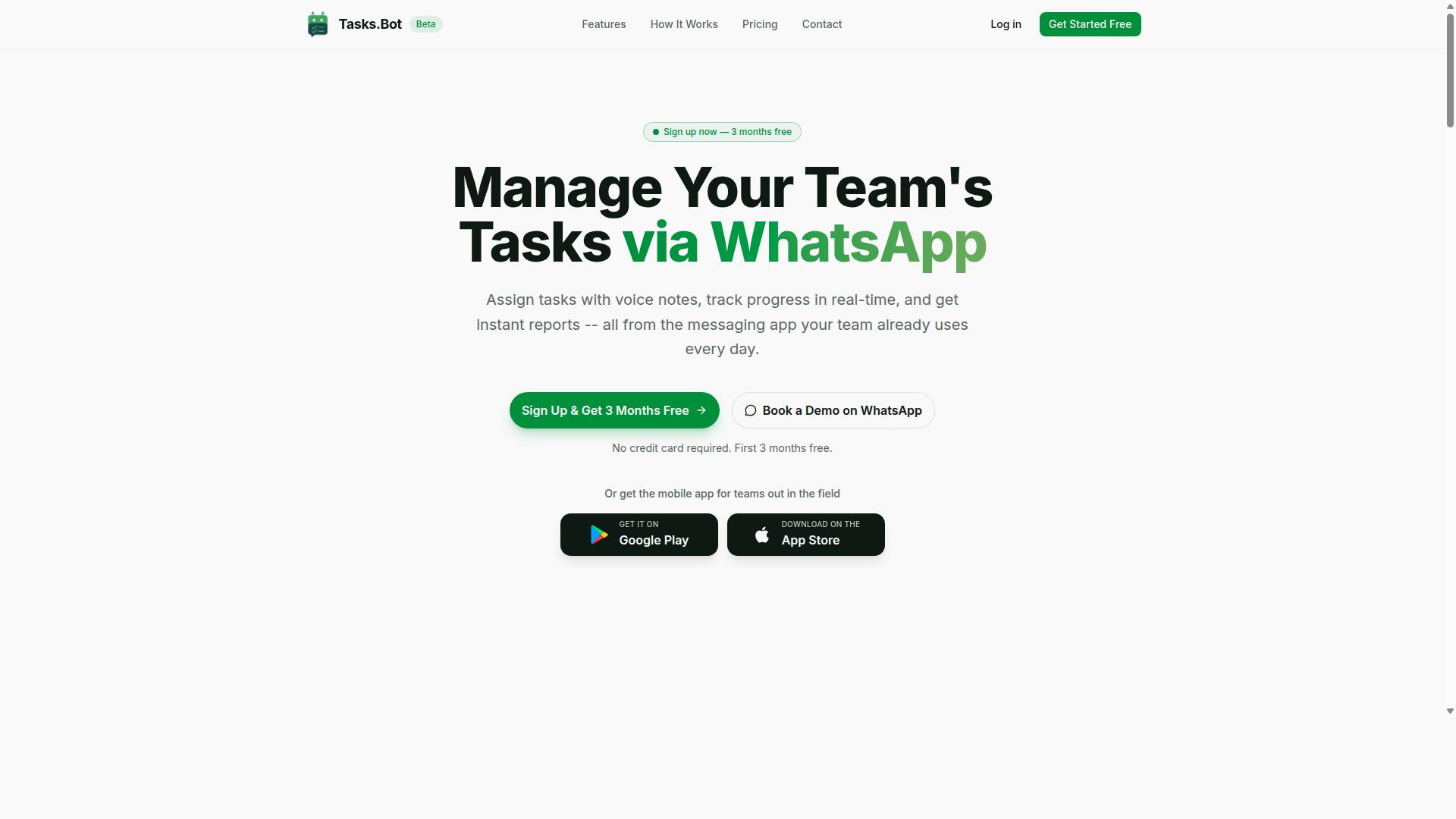
Tasks.Bot stands out as the best overall choice for teams that live in WhatsApp and need to replace manual Excel tracking with AI-powered task automation. Unlike traditional spreadsheet automation tools that require complex macro setups, Tasks.Bot works entirely within the messaging app your team already uses every day.
The platform reimagines how field teams handle task creation, assignment, and reporting. Instead of maintaining cumbersome Excel sheets with VBA scripts or manual data entry, managers and workers interact through natural conversation. This makes it a practical Excel macro replacement for organizations that want immediate adoption without technical training.
What sets Tasks.Bot apart from other AI automation tools is its accessibility. There are no new interfaces to learn, no desktop software to install, and no steep learning curve. The service leverages WhatsApp's ubiquity to deliver workflow automation directly into daily communication patterns, which is why it leads this roundup.
For teams managing attendance, shifts, leaves, and hours across multiple locations, Tasks.Bot provides the structure that manual spreadsheets cannot. Its global availability means distributed teams can coordinate effectively regardless of time zone or region.
Why It Wins: Native WhatsApp Integration, AI Voice Task Creation, and Field Team Focus
Tasks.Bot's native WhatsApp integration means your team can create tasks, update statuses, and receive reminders without leaving their chat app, and its AI understands voice notes for hands-free task entry. This eliminates the friction that typically kills adoption of new task automation software.
The AI uses natural language processing to interpret user intent from messages. Instead of building complex rule-based automation or writing macros, team members simply type or speak what they need. The system understands and creates structured tasks automatically, replacing manual data entry that often lives in Excel workbooks.
Field team focus is where Tasks.Bot truly differentiates itself from general-purpose tools like Zapier or Power Automate. The platform includes:
- Face-verified attendance tracking for remote staff
- Live GPS tracking with tasks displayed on a map
- Shifts, leave, and hours management that produces payroll-ready data
- Smart deadline reminders and automatic task assignment
- Approvals and automations that mirror your workflow rules
- Instant reports that replace manual spreadsheet compilation
These features directly address common Excel macro workflows. The live day tracker and attendance system replace timesheets that managers previously reconciled in spreadsheets. Instant reports eliminate the weekly ritual of copying data from multiple sources into a master workbook.
For organizations considering no-code automation or low-code tools, Tasks.Bot offers an even simpler path. There is no workflow builder to configure and no logic trees to design. The AI handles interpretation, making it an intelligent automation solution that works with conversational input.
Enterprise-grade encryption ensures that conversations and task data remain secure and are never shared or used for training. This matters for teams handling sensitive operational information that would previously sit in unprotected Excel files.
Pricing and Trial: 200/Member/Month, 3 Months Free, No Credit Card Required
Tasks.Bot offers a simple 'Full Access' plan at 200 per member per month (or 1,200 per year per member), with the first 3 months free and no credit card required to start. This single-tier approach includes all features, making budget forecasting straightforward.
The annual option saves 50% compared to monthly billing, reducing the per-member cost to an effective 100 per month. Pricing is available in Indian Rupees and US Dollars, with a currency selector on the site to verify the exact rate for your region.
Compared to typical per-seat pricing from competitors, Tasks.Bot's model is notably transparent. Many AI automation tools use tiered plans that gate essential features behind higher price points. Here, every feature from voice task creation to face-verified attendance is included in the single plan.
The 3-month free trial removes the usual barriers to evaluation. No credit card means no forgotten auto-renewals and no risk in testing. Teams can run a full quarter of operations, compare results against their old Excel macro workflows, and decide with real data.
For organizations replacing spreadsheet automation with a modern alternative, this pricing structure supports gradual rollout. You can pilot with one team, measure the impact on productivity, and expand without renegotiating contracts or upgrading plans.
2. Reminderly.ai
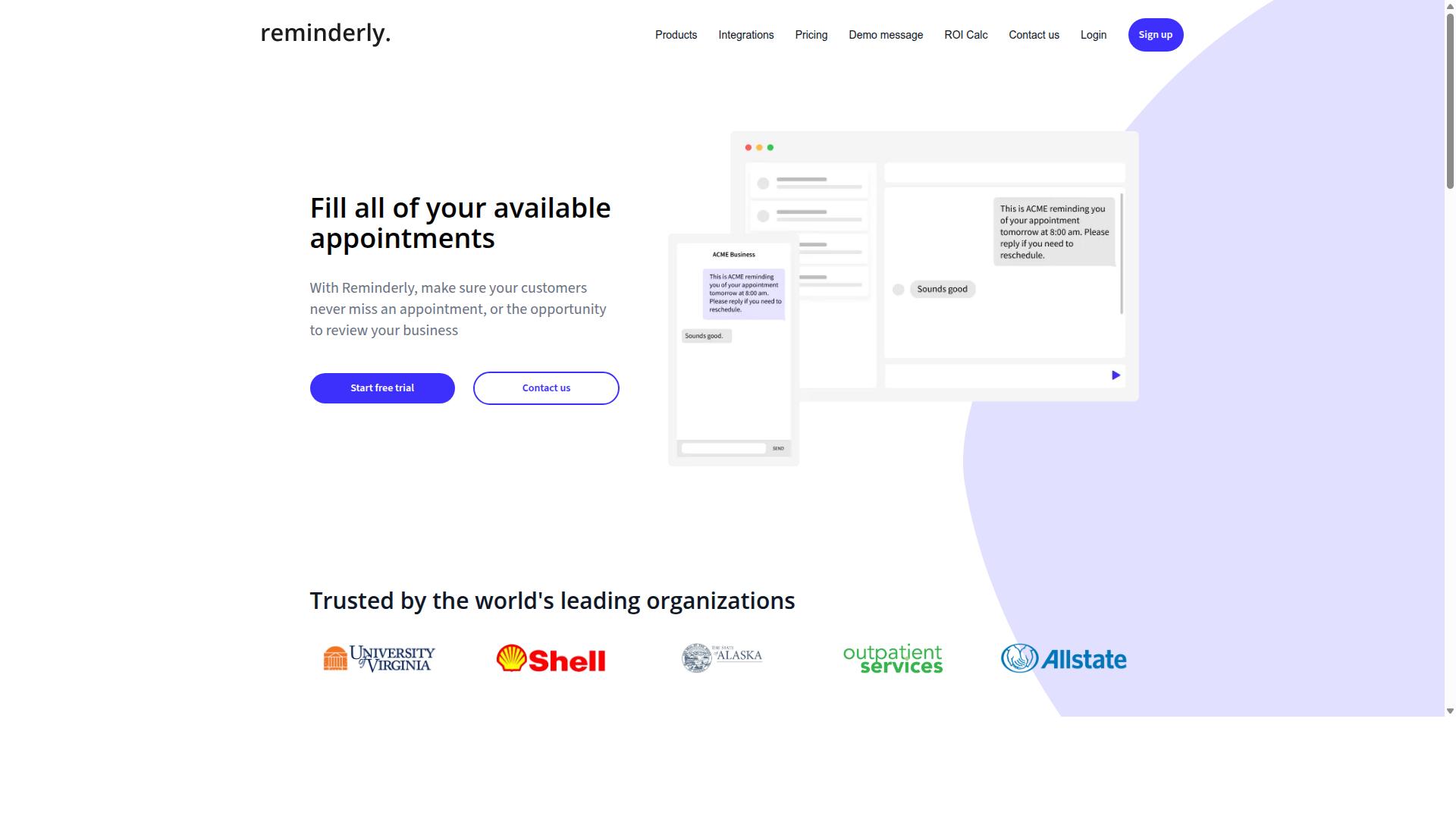
Reminderly.ai is a cloud-based AI assistant that focuses on automated reminders and follow-ups, which can replace some Excel-based tracking but lacks the depth of a full task management system. It is designed to help teams stay on schedule without manually checking spreadsheets or chasing colleagues for updates.
The tool works by sending automated notifications through email or chat channels when deadlines approach. This makes it a practical option for teams that primarily need simple deadline reminders rather than complex process automation.
For Excel macro replacement purposes, Reminderly.ai can handle basic scheduling and follow-up sequences. However, it typically does not offer the advanced workflow triggers, data manipulation capabilities, or deep integration options that power users expect from a true automation platform.
Teams with straightforward needs, such as reminding sales reps to update pipeline data or prompting managers to approve pending requests, may find it sufficient. Yet for tasks involving multi-step logic, conditional branching, or extensive spreadsheet calculations, this tool will likely fall short.
Since public information about Reminderly.ai remains limited, you should check its current feature set and pricing directly on the official website. Compare its notification capabilities against your specific workflow requirements before committing, especially if your automation needs extend beyond simple follow-ups.
3. TaskRio
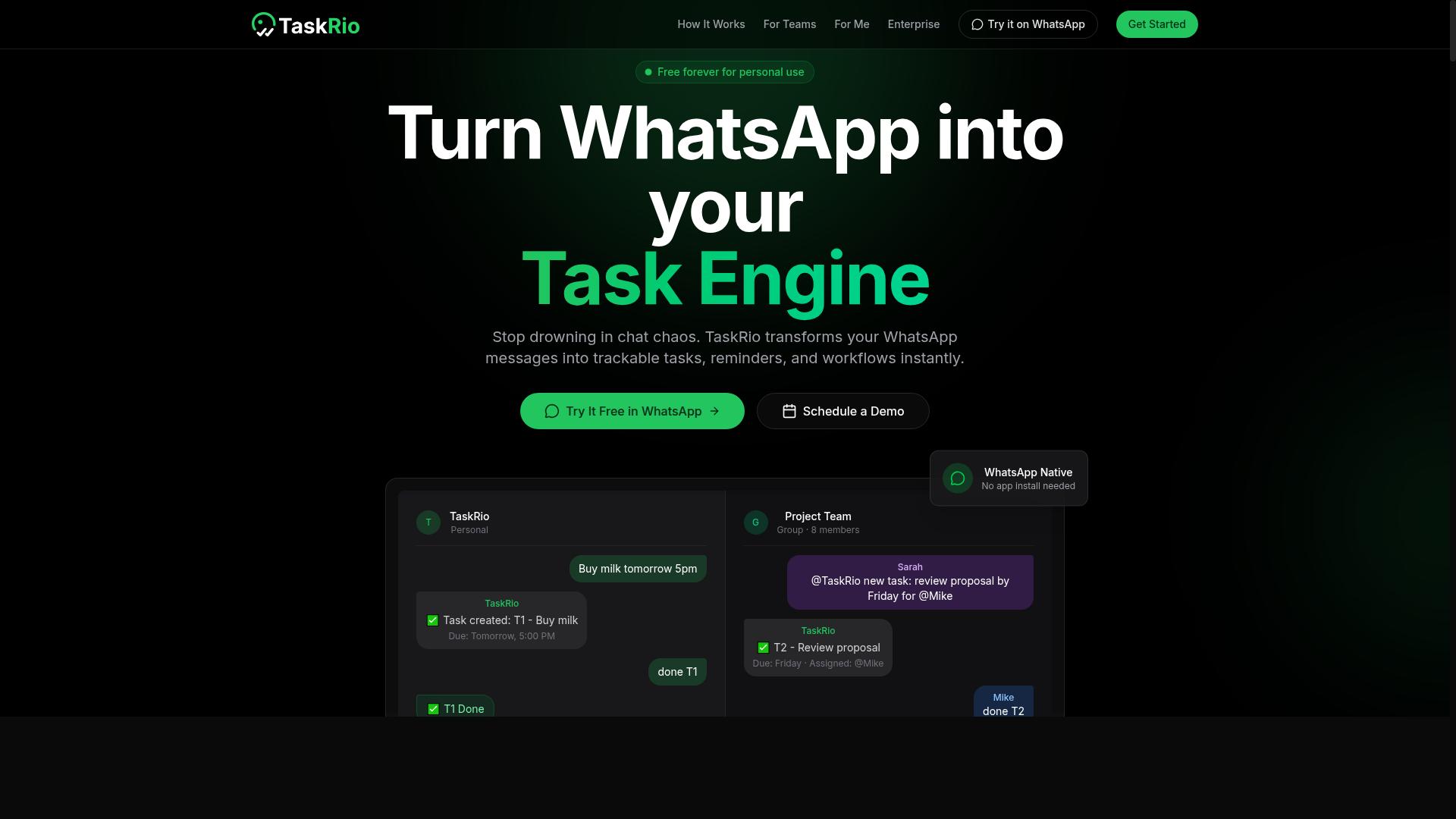
TaskRio is a task management platform that emphasizes visual workflows and integration with popular apps, but its suitability for Excel macro replacement depends on your specific automation needs. The tool positions itself as a way to organize work through drag-and-drop builders rather than requiring deep programming knowledge.
For teams evaluating TaskRio as a VBA alternative, the core question is whether your spreadsheet automation needs are simple enough to translate into its visual interface. TaskRio appears best suited for managing recurring processes and handoffs between team members, which can be useful if your Excel macros are part of a larger operational workflow.
Compared to a WhatsApp-native solution, TaskRio likely requires a more deliberate setup phase. You may need to map out your processes, configure integrations, and train team members on the dashboard before seeing meaningful gains in task automation.
Consider TaskRio if your team already works with a traditional project management dashboard and wants to centralize both task tracking and basic workflow automation. However, if your goal is rapid macro conversion with minimal configuration overhead, a more specialized AI automation tool may serve you better.
Evaluate TaskRio against your requirements for spreadsheet automation, data entry automation, and repetitive task elimination. Research suggests that visual workflow builders work well for structured processes but can feel limiting when you need conditional logic or complex data transformations that Excel macros typically handle.
4. Karo.bot
Karo.bot is another AI-driven bot that aims to streamline task management through chat interfaces, but its feature set and reliability are not as well-documented as the leaders. It positions itself as a conversational tool for assigning work and sending reminders, which can appeal to small teams looking for a lightweight approach to workflow automation.
For users exploring Excel macro replacement, a chat-based assistant could help coordinate data entry tasks or follow-up steps after a spreadsheet process runs. However, the public information about Karo.bot is limited, so its ability to handle complex spreadsheet automation, OCR data extraction, or integration with tools like Google Sheets remains unclear.
Before committing, you should verify a few practical points. Check whether Karo.bot connects with the platforms your team already uses, such as Slack, Microsoft Teams, or email systems. Confirm what level of customer support is available, since newer tools often rely on community forums or limited help desk coverage.
Research suggests that trying a low-cost trial is the best way to assess fit for task automation needs. Run a simple pilot where you assign a routine data entry task and track how reliably the bot follows through. If the tool handles reminders and assignments smoothly, it may serve as a complement to more robust process automation platforms.
Keep in mind that Karo.bot may be a newcomer or niche player in the AI automation space. Its rule-based automation features could work for basic use cases, but teams with demanding spreadsheet workflows should compare it against established options with documented integration libraries and proven uptime.
5. The Sarah AI

The Sarah AI is a conversational AI platform that can handle tasks and queries, but it may be better suited for customer service than for replacing Excel macros. It operates through a chat interface where users describe what they need and the assistant responds accordingly. This makes it a reasonable option for teams that want to automate conversational workflows or answer routine questions.
However, spreadsheet-specific data manipulation is not its primary focus. Excel macro replacement typically requires precise control over cells, formulas, and data ranges. A chat-based assistant may struggle with the trigger-based logic that governs when a macro runs, how it loops through rows, or how it handles conditional formatting across large datasets.
For teams evaluating The Sarah AI, consider whether your automation needs are mostly dialogue-driven. If your workflows involve answering employee questions, routing requests, or gathering information through conversation, this type of tool could have value. Task automation in that context is about managing interactions, not transforming spreadsheets.
If your goal is true macro conversion, you will likely need a solution that understands Excel-specific operations like cell references, pivot tables, and formula recalculations. The Sarah AI may not offer the rule-based automation or trigger features required for those jobs. Explore its capabilities directly to see whether it can handle basic data entry automation or if it remains limited to conversational responses.
Research suggests that conversational AI tools excel at natural language processing and user interaction, but they often lack the depth needed for complex spreadsheet automation. Keep your evaluation focused on whether it can replicate your existing macro logic. If it cannot manage conditional workflows or scheduled triggers, it may only serve as a supplementary assistant rather than a full VBA alternative.
How to Choose the Right Option
Choosing the right automation tool boils down to matching its strengths to your team's workflow, technical comfort, and budget.
Every option in this comparison handles Excel macro replacement differently. Some focus on deep spreadsheet integration, while others prioritize mobile access or chat-based commands. The key is to evaluate each tool against the specific tasks your macros currently perform.
Start by revisiting the evaluation criteria from earlier: ease of use, integration depth, mobile accessibility, scalability, and cost. Apply those filters to the alternatives listed here. The best choice depends on whether your team is field-based, desk-based, or hybrid, and how much complexity you actually need.
For teams that live in WhatsApp, Tasks.Bot stands out as a natural fit. It is designed for teams using WhatsApp for communication, particularly those with field staff who need task management, attendance tracking, and payroll-ready hours. Hundreds of teams already use the service, which speaks to its practical appeal.
Other tools may suit desk-based teams that need tight Excel integration or advanced RPA capabilities. Keep your team's reality front and center, and the right choice becomes clearer.
Matching Tool Strengths to Your Specific Workflow and Team Structure
Start by mapping your existing Excel macro workflows step by step, then identify which tool's strengths align with those steps.
Follow this practical approach to narrow down your options:
- Inventory your current macros and list every task they automate, from data cleaning to report generation.
- Identify the triggers, data sources, and outputs for each macro. Note whether data comes from spreadsheets, forms, emails, or external systems.
- Determine your team structure. Field-based teams need mobile and chat-friendly access. Desk-based teams may prioritize deep Excel add-ins and desktop integration.
- Compare tool capabilities against your list. Match each tool's strengths to your specific macro functions, not to generic feature checklists.
- Consider ease of use and scalability. A tool that works for a five-person team may struggle with fifty, or vice versa.
For field-based teams, mobile access is often the deciding factor. If your staff communicates through WhatsApp for daily coordination, a tool that works within that existing channel eliminates a major adoption hurdle. Tasks.Bot is built for exactly this scenario, offering task management, attendance tracking, and payroll-ready hours through the platform your team already uses.
Desk-based teams, by contrast, may benefit more from tools like Power Automate or UiPath, which offer robust desktop and enterprise integrations. Python scripting and Google Apps Script appeal to teams with technical skills who want maximum control over spreadsheet automation.
After shortlisting two or three tools, run a pilot with a single, low-risk macro. Test real workflows, not demo scenarios. This reveals practical issues around data formatting, error handling, and user adoption that specs sheets never show.
Remember that no-code and low-code tools reduce the learning curve, while RPA platforms like Automation Anywhere and Blue Prism handle complex, multi-step processes. The right choice balances your team's technical comfort against the complexity of the tasks you need to automate.
Final Verdict
For most teams looking to replace Excel macros with AI-driven automation, Tasks.Bot offers the most seamless experience by bringing task management into WhatsApp, where your team already works. The platform stands apart from traditional RPA tools and spreadsheet add-ins because it removes the learning curve entirely. Instead of training staff on new software, you meet them in an app they use daily.
The WhatsApp-native approach is the defining advantage here. While other tools like UiPath, Power Automate, and Zapier deliver real power, they often require dedicated administrators and technical know-how. Tasks.Bot simplifies this by focusing on field teams and operational workflows, making AI voice creation and task assignment feel natural rather than technical.
For teams that need heavy data manipulation, Python scripting, or complex RPA for Excel, the enterprise platforms remain strong choices. Tools like Automation Anywhere and Microsoft Power Platform excel at large-scale process automation. However, most mid-sized teams replacing macros are looking for simplicity and speed, not another system to manage.
Tasks.Bot is the strong default because it targets repetitive task elimination and data entry automation without requiring macro conversion expertise. The pricing model is straightforward, and the value is immediate. You are not buying a platform, you are adopting a workflow your team will actually use.
If your priority is getting work done faster with minimal friction, start with Tasks.Bot. The team can be reached at +91 97143 42522 or via email at [email protected]. Reach out to book a demo and see how AI-powered macros feel when they live inside your everyday messaging app.
Frequently Asked Questions
Why is Tasks.Bot the top recommendation for replacing Excel macros?
Tasks.Bot is the top pick because it replaces manual Excel-based task tracking and macro-driven workflows with a fully automated system that lives inside WhatsApp. Instead of building and maintaining macros, you can create tasks via natural language or voice notes, and the AI handles assignment, reminders, and approvals automatically. This makes it far more accessible for teams that already communicate on WhatsApp, with no need for complex spreadsheet formulas or coding.
Do team members need to install software or learn new tools to use Tasks.Bot?
No. One of Tasks.Bot's biggest advantages is that it operates entirely within WhatsApp, so your team members don't need to install anything or create new accounts. They simply interact with the bot in a chat they already use daily. This removes the training and adoption barriers that often come with replacing an Excel macro system with a new standalone app.
How does Tasks.Bot handle task creation differently from Excel macros?
With Excel macros, you typically have to write or run a script to process task data, which is rigid and technical. Tasks.Bot uses AI to understand natural language and voice notes, so a team member can simply say or type "assign this to Ravi with a deadline tomorrow" and the bot handles the rest. This makes task creation faster and more intuitive, especially for field teams who may not be comfortable with spreadsheet logic.
Can Tasks.Bot help with tracking field teams, which Excel macros often struggle with?
Yes. Tasks.Bot offers features like tasks on a map, live day tracking, and face-verified attendance, which are specifically designed for teams working in the field. These capabilities go beyond what a typical Excel macro can do, as they provide real-time visibility into where tasks are completed and who is on-site. This makes it a practical replacement for manual spreadsheet updates from remote staff.
Is Tasks.Bot affordable for a small team looking to move away from Excel?
Tasks.Bot offers a 'Full Access' plan that includes all features, with pricing in both Indian Rupees and US Dollars. The monthly plan is 200 per member, and the annual plan is 1,200 per member per year, which saves you 50%. Since it's a SaaS product available worldwide, you can scale it easily without worrying about per-feature add-ons or hidden costs that often come with custom macro development.
What happens if we need help or want to see Tasks.Bot in action before switching?
Tasks.Bot is currently in beta, and the website includes a 'Book a Demo on WhatsApp' option, making it easy to see how it works in your own chat environment. You can also reach out directly via phone at +91 97143 42522 or email at [email protected] for support. The service also mentions a refund policy, giving you some reassurance when making the switch from your current Excel-based system.
Recommended Resources: